Task lists and delegation
Where a task lives and who else is involved in it. Tasks are kept in lists — the user's own, ones the whole organization uses, and ones other people have shared — and those lists decide what is private work, what is team work and how much of the tree a user has to look at. A task can be moved between them, and a single task can be handed to other people, who then say for themselves whether they are taking it on.
Organize tasks in task lists
Summary Tasks are kept in task lists, shown as a flat tree beside the list of tasks: the user's own lists, public ones, and lists other people have shared with them. A new list is created from the section header above the tree, and each list carries a context menu for sharing, renaming, deleting, favoriting, hiding, and importing or exporting its contents.
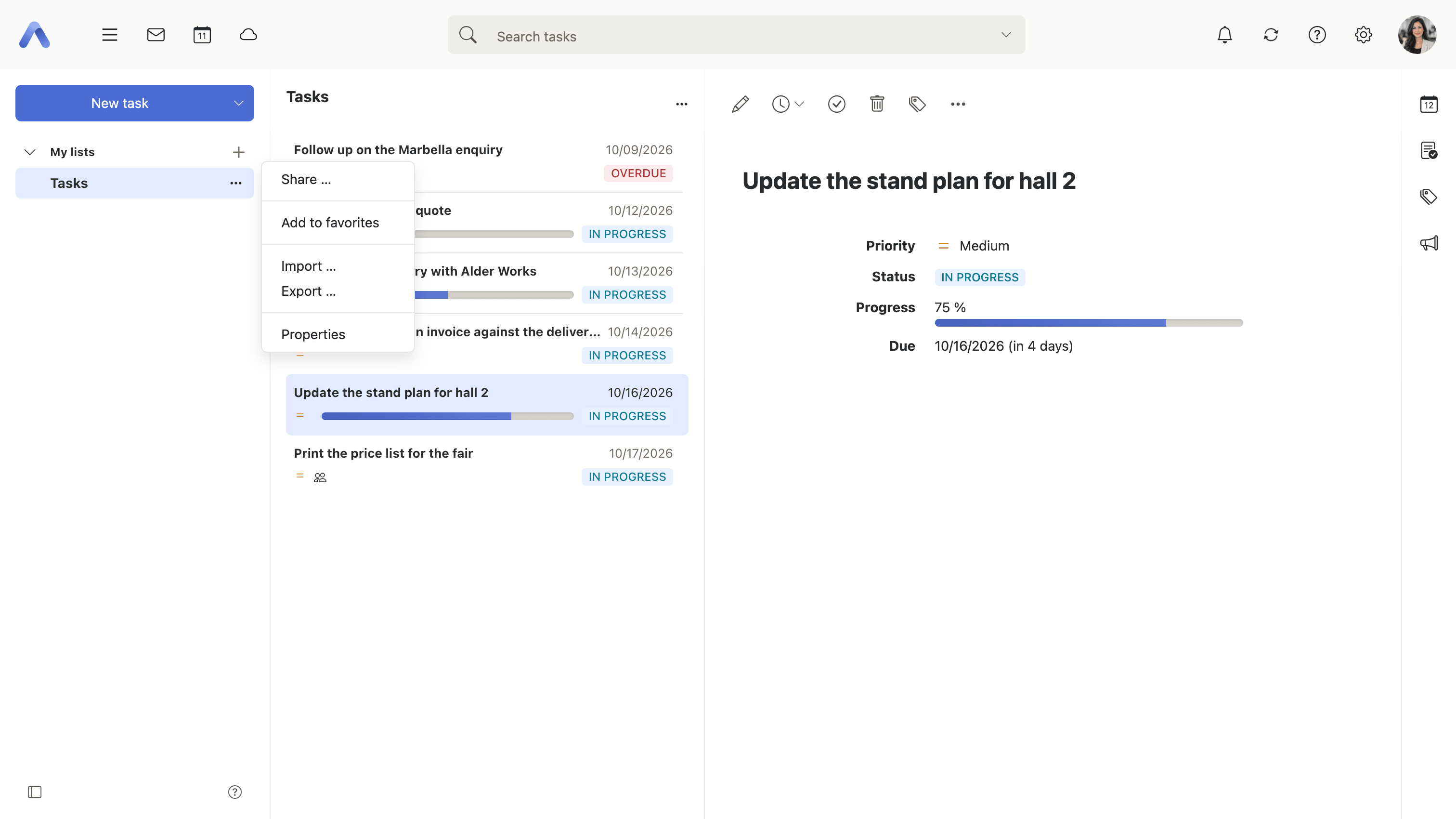
Why it matters One list is enough until the first piece of work belongs to somebody else. After that, a user who keeps their own errands and a team's backlog in the same place has to choose between sharing things nobody should see and keeping the team's work where the team cannot reach it. Separate lists remove the choice: a private list nobody else sees, a team list everybody works from, and all of it visible at once. Hiding a list rather than unsubscribing from it is what keeps the tree short for the lists that only matter occasionally, without anything being given up or having to be asked for again.
Description
- Personal, public and shared task lists, shown as a flat tree
- New task lists are created from the section header above the tree, not from the context menu
- The context menu shares, renames and deletes a list
- A list can be marked a favorite, or hidden from the tree without unsubscribing from it
- Import and export are reachable per list from the same menu, and are described under Working with the other apps
Availability Since 7.10.6 or earlier. Requires tasks. Feature toggle folderIcons, on by default.
Subscribe to shared task folders
Enterprise
Summary One dialog listing every task folder available to the user — public, shared, private and hidden — with a checkbox on each deciding whether it appears in the tree at all. Where the server supports CalDAV, a second column decides whether a list is also synchronized to devices. It is reached from the secondary menu and from the list options menu.
Why it matters Being given access to a task list and wanting to see it every day are different things, and in a large context generous sharing means a tree full of lists nobody asked for. At that point the tree stops working for the three lists that actually matter. Unsubscribing hides a list without touching anybody's sharing, so nothing has to be renegotiated with the person who shared it and the list can be brought back the day it becomes relevant again. The DAV column answers the other half of the question: which of these lists should also reach the task app on a phone, where screen space is scarcer still.
Description
- Lists public, shared, private and hidden task folders, each with a checkbox
- Reachable from the secondary menu and from the list options menu
- A Sync via DAV column per folder, hidden where the server does not advertise CalDAV
- Tasks that live in a shared folder cannot be moved out of it
- The same dialog serves the other apps and is described under Sharing and delegation
Availability Since 7.10.6 or earlier. Requires tasks.
Move tasks to another task list
Summary Moves the selected tasks into a different task list through a folder picker. Several tasks are moved in one step.
Why it matters Tasks land in the wrong list routinely — a personal errand created while a team list happened to be selected, a piece of project work filed under somebody's own list. Without a move, correcting that means deleting the task and typing it again, which throws away everything that had accumulated on it: the dates, the progress recorded against it, the attachments and the participants who have already accepted. Since the list a task sits in is also who can see it, a task in the wrong list is not only untidy, it is addressed to the wrong people.
Description
- A folder picker offers the target task lists
- Works on a multiple selection
- Not offered for tasks that live in a shared folder
Availability Since 7.10.6 or earlier. Requires tasks.
Delegate a task and track confirmations
Summary A task can be given to other people. Internal users, groups, resources and external email addresses are added as participants, and each of them answers for themselves — accepting, declining or marking themselves tentative, with a comment if they want to explain. The invitation and every change of answer turn up in the notification area.
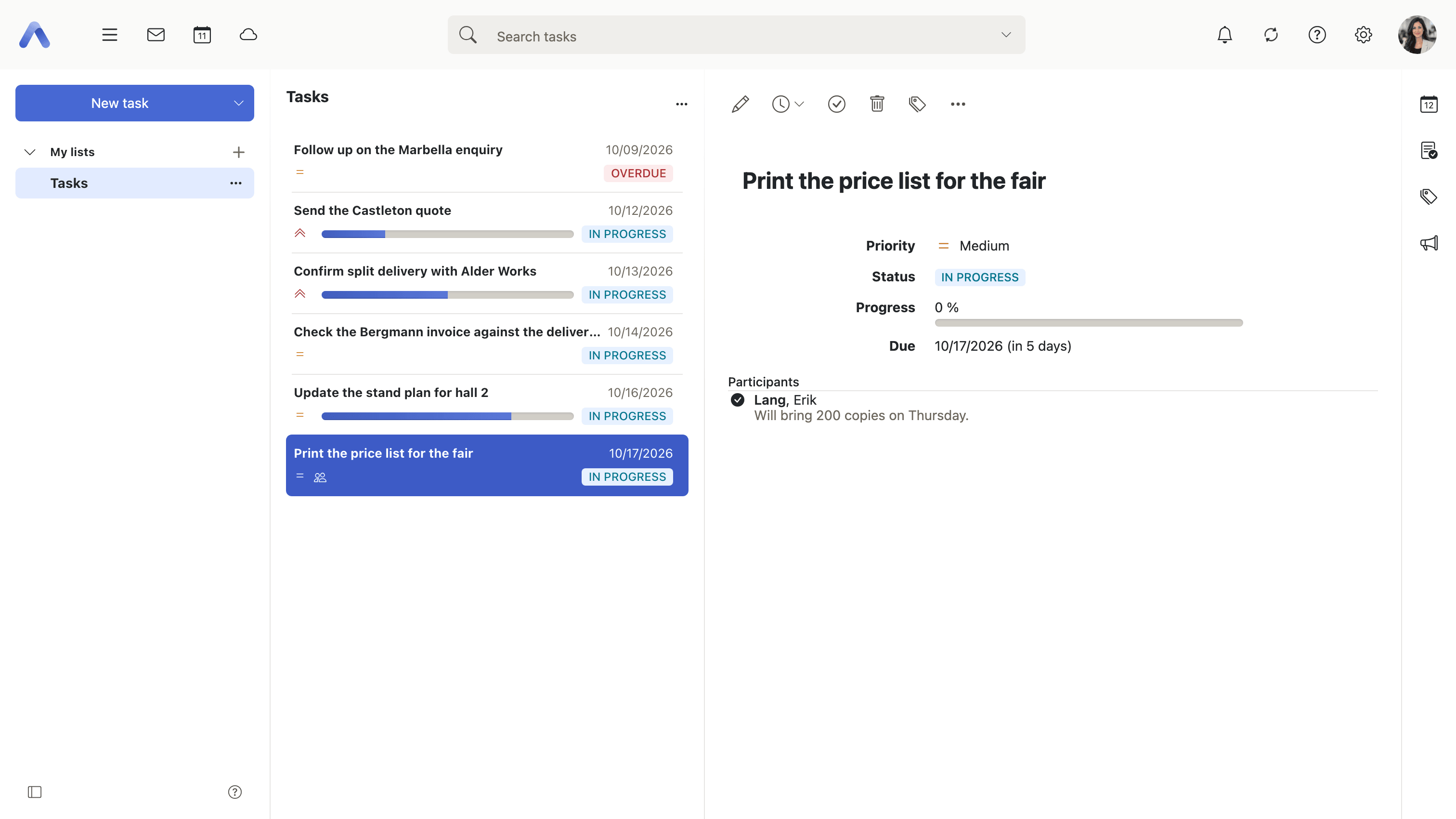
Why it matters Work handed over in a corridor or at the end of a meeting is work nobody owns. The task exists in two heads, in two slightly different versions, and the first time anyone checks whether it is being done is the day it was supposed to be finished. Putting the other person on the task turns the handover into a record: it reaches them where they already look, they answer it, and the answer is visible to whoever asked. The distinction between a declined task and an unanswered one is the whole value — a decline can be reassigned the same afternoon, while silence looks exactly like agreement right up until the deadline passes. For work split across a team, the confirmations are also the only honest picture of who has actually taken something on, as against who was merely listed.
Description
- Participants are added through the address picker or by typing an address
- Internal users, groups, resources and external email addresses can all be added
- A participant sets their own confirmation to accepted, declined or tentative, and can leave a comment with it
- The confirmations are shown on the task, so the person who delegated it sees who has answered
- Task invitations and confirmation changes appear in the notification area, described under Working with the other apps
- Appointments work the same way, and the calendar side is described under People and invitations
Availability Since 7.10.6 or earlier. Requires tasks.