App Suite UI (latest)
All versions
Imprint
All versions
Imprint
  • Feature Catalog
    • General
      • Getting around
      • Search and notifications
      • Settings and appearance
      • Signing in
      • Account and security
      • Onboarding and devices
      • Working with content
      • Sharing and delegation
      • Storage, plans and feedback
      • Progressive Web App
      • Feedback
      • Upsell
      • Triggers
    • Mail
      • Reading and organizing
      • Attachments
      • Writing and sending
      • Security and trust
      • Accounts and automation
      • Signatures and templates
      • Working with the other apps
      • BIMI
    • Calendar
      • Seeing your day
      • Appointments
      • People and invitations
      • Calendars and subscriptions
      • Rooms and resources
      • Video meetings
      • Search, print and transfer
    • Address Book
      • Contacts
      • Address books
      • Finding people
      • Lists and the other apps
    • Tasks
      • Tasks
      • Task lists and delegation
      • Working with the other apps
    • Drive
      • Working with files
      • Finding and arranging
      • Sharing
      • Storages and capacity
      • Working with the other apps
      • OpenCloud Drive Integration
    • Portal
    • Enterprise and Provider Edition
    • Compliance

      • Accessibility
      • Accessibility Conformance Report
      • Data protection
  • Upgrade Guide
    • Everything new since 7.10.6
    • From 7.10.6 to 8.35
    • From 8.35 to 8.47
    • From 8.47 to 8.55
    • Breaking changes and requirements
  • Deployment Guide

    • Configuration
    • Settings list
    • Login page
    • What's New dialog
    • Mail assets
    • Mail rendering and security
    • All messages folder
    • Unseen messages folder
    • Theming
    • Authentication
    • Browser support
  • Customize & Extend
    • Manifests
    • Toolbars and menus
    • Portal widget
    • Sign In
    • Internationalization
  • Architecture
    • Core UI service

Drive

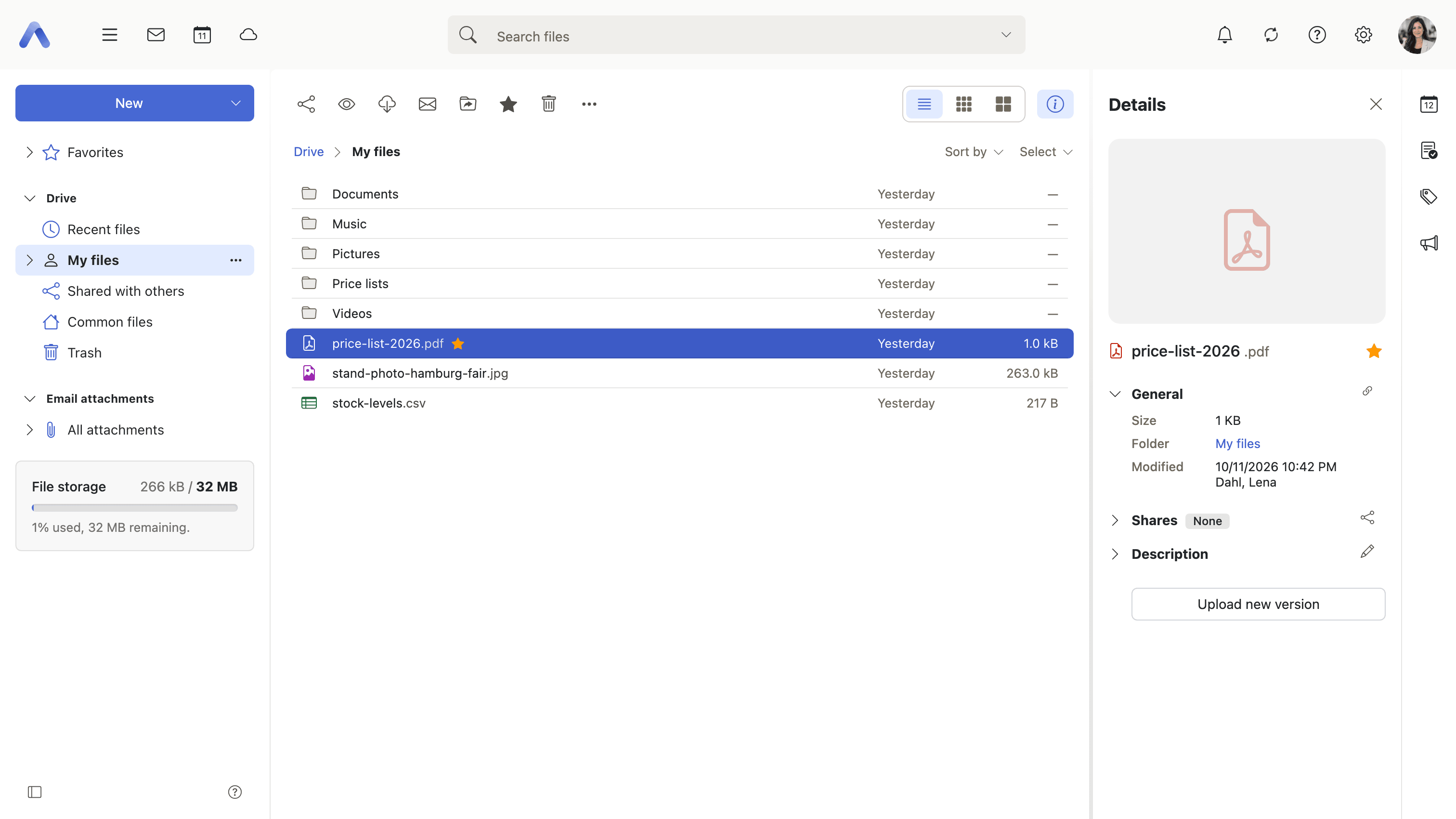
File storage and sharing. Requires the infostore capability. Drive is a front end for more than one store: the deployment's own storage plus any other account the user connects.
Pages

PageWhat it covers
Working with filesThe everyday actions, locking a file, earlier versions and their cleanup, text notes, favorites, and converting a document to PDF
Finding and arrangingSearch, recent files, list, icon and tile layouts, view options, folder colors and the order of storages in the tree
SharingSharing inside the organization, inviting guests, share links, public files, federated shares, and the list of everything you share
Storages and capacityConnecting another file storage, OpenCloud and Nextcloud accounts, opening an item in the storage's own client, its trash, and remaining quota
Working with the other appsAttaching a Drive file to a mail or appointment, saving attachments into Drive, browsing mail attachments, and sending files by email
OpenCloudOperator setup: using an OpenCloud instance as a Drive storage backend
Last Updated: 10/7/26, 2:41 PM
Prev
Tasks
Next
Portal